
I evaluated the Afkspin Casino mobile app for German players, and this is what I found afkspincasino.com.de. The app offers fast access to slot machines and live tables without opening a desktop browser each session. Installing was smooth on either Android and iOS, and the interface remained stable even during extended sessions. This page walks through the installation steps, showcases the top gaming aspects, and lists the device specs to check before you install. I also examine the security details that count when you gamble on a mobile device in Germany’s market.
Getting the Afkspin Casino App in Germany
Obtaining the app on your phone in Germany needs a few minutes, but the steps are different a bit between Android and iPhone. I recommend starting at the official Afkspin Casino website. That way you avoid third-party stores that might carry obsolete or modified installation files. The site identifies your operating system and provides the right download option. Before you start, verify that your device has enough free storage and, on Android, that you have permitted installations from trusted sources. The steps below correspond to the current version available to German users.
Android installation
Android users download the app as an APK file. Get it straight from the Afkspin Casino mobile page, then open the file to begin the installation. Your phone might prompt for permission to install apps from unknown sources. That is standard for casino apps distributed outside Google Play. I always verify the file size and version number before pressing install. Once the installation completes, start the app and log in with your existing account or create a new one. On a modern device, the whole thing usually needs under two minutes.
- Go to the official Afkspin Casino mobile page from your Android device.
- Tap the Android download button and save the APK file.
- Allow installations from unknown sources if your device prompts you.
- Open the downloaded file and confirm the installation.
- Open the app and sign in to your account.
Installing on iOS
iPhone users in Germany can install the Afkspin Casino app through a web-based installation profile or via the App Store if a regional version is available. I advise checking the official mobile page for the current iOS option. After getting, head to your device settings and trust the developer profile under General and Device Management. Apps installed outside the App Store need this step. Once the profile is approved, the icon lands on your home screen. Then you can log in, choose your preferred language, and carry out a deposit securely.
Primary Gaming Options
The main attraction of the Afkspin Casino app is how rapidly you access a extensive spread of slots and live games. I poked around the navigation, loading times, and search tools, and the app stood up nicely on a mid-range phone. The home screen arranges slots and live dealer rooms into clear categories, so you won’t be scrolling past a pile of irrelevant titles. Mobile players in Germany frequently switch between quick slot spins and longer sessions at live tables, and the app manages both without any extra downloads. Below I detail the two main game categories.
Slot Library
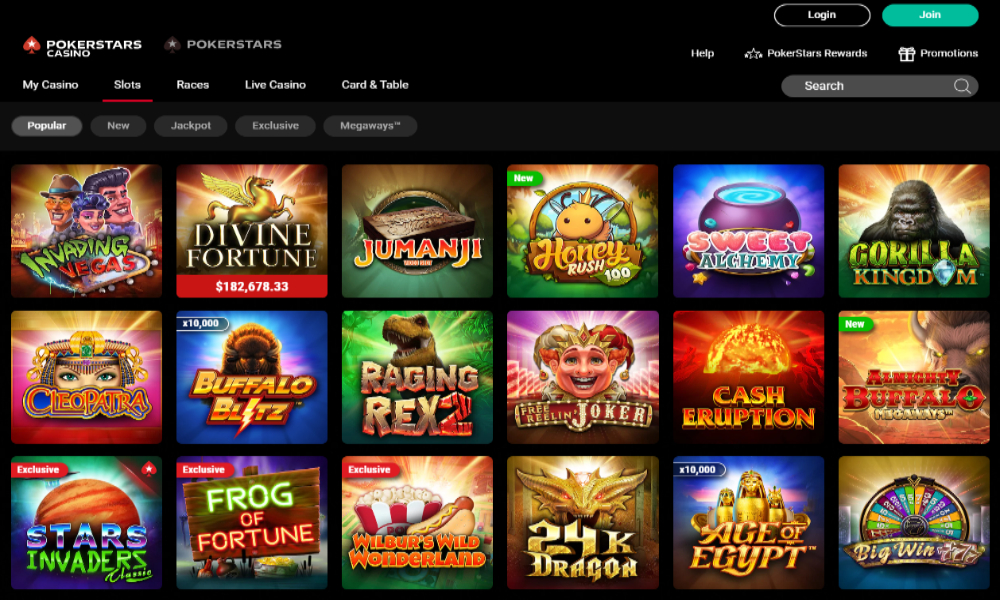
The slots section features classic three-reel games, video slots, and jackpot titles. Filters allow you to sort by provider, theme, or volatility, and I found them genuinely useful. On a stable connection, a slot opens in a few seconds, and the touch controls fit right for smaller screens. The app remembers your recent games, so jumping back to a favorite during a commute or a coffee break is effortless. German players can also try demo versions for many slots, which lets you test the mechanics before putting real money down. Graphics remain crisp whether you use the phone in landscape or portrait.
Live Dealer Games
Live games stream to the app with barely any delay. I sampled roulette, blackjack, and baccarat tables, and the video quality adapted on the fly as my connection speed changed. The betting interface sits below the stream, so you are able to place bets without blocking the dealer from view. For players in Germany who want a realistic casino feel, the live section features several tables with German-speaking dealers alongside English-language options. The app also moves between Wi-Fi and mobile data without dropping the stream, which counts if you play while moving around.
Safety, Data Protection and Controlled Gambling
Security gets my full attention when I review casino apps in Germany. The Afkspin Casino app encrypts connections for login, deposits, and gameplay, which shields your personal details on public Wi-Fi. It also bundles account verification and responsible gaming tools, including deposit limits and session reminders. I suggest turning these tools on before you start playing. They assist you keep a hold on your spending. The mobile app maintains the same account safeguards as the desktop site, so you lose no protection by playing on your phone. Only download the app from the official source to steer clear of modified versions.
Device Compatibility and Requirements
Prior to installing the Afkspin Casino app within Germany, verify that your phone or tablet clears the minimum requirements. I tried the app on a selection of devices, like older de.wikipedia.org Android models and an iPhone from two generations back. The app is not demanding, but a stable operating system and sufficient free memory make for the experience smoother. The requirements below come from the official guidance plus my own time with the app. Maintaining your device updated minimizes graphics glitches and interrupted live streams.
Android specifications

Android users see the best results on version 8.0 or higher. I suggest at least 3 GB of RAM and around 200 MB of free storage for the installation file and cached game data. A screen resolution of 720p or higher is sufficient to read table limits and slot menus clearly. Older devices can still handle many slots, but live dealer games demand more processing power. On entry-level phones, I recommend closing background apps before launching the live casino to keep the stream smooth.
iOS specifications
On iOS, the app supports devices running iOS 13 or later. I tested it on an iPhone with a smaller screen, and the interface adjusted without issues. You require at least 200 MB of free space, though updates can alter that number around. Face ID and Touch ID operate if you want a faster login. iPads are compatible too, and the bigger display makes live dealer tables feel more immersive. If loading lags, check that your iOS version is current and that your connection is stable before starting a live game.
Payments and Account Management
Funding and withdrawals from the app are simple. The payment methods open to German players include common e-wallets, bank transfers, and card options. I examined the deposit flow: the app transfers you to a secure payment page without exiting your session. Your transaction history lives under the account menu, so tracking deposits, bonuses, and withdrawals is easy. The app also reflects the main site’s currency settings, allowing you to handle your balance in euros with no manual conversion. Withdrawal requests adhere to the same verification process as the desktop version, and you can send documents directly from your phone.
Account tools in the app provide deposit limits, wagering reminders, and a self-exclusion option. I consider these features as vital for responsible mobile play, since casino apps make it simple to play during short breaks. You can establish daily, weekly, or monthly limits and modify them to suit your budget. The app saves your preferences across devices, so a limit set on your phone carries over on your desktop account too. That consistency shows me the mobile version does not weaken the protections available to players in Germany.
Mobile Functionality and Updates
During my testing, the Afkspin Casino app displayed slots rapidly and maintained a stable link to live dealer tables. The interface works without perceptible lag on devices that satisfy the suggested requirements. Updates are deployed through the app or the official mobile page. I suggest installing them immediately since they frequently include security enhancements and fresh game titles. The app also stores your choices, so you avoid reconfiguring audio or visual options after each update. For German players who seek a reliable experience, the current version shows careful tuning for both Wi-Fi and mobile data networks.
Application Revisions and Support
Afkspin Casino releases periodic updates that boost performance and introduce new slots or live tables. I suggest enabling automatic updates on Android or visiting the official mobile page for the latest iOS version. If you encounter a snag during installation or gameplay, the support team is reachable through the app’s live chat or contact form. In my experience, response times were decent, and the team gave clear steps for fixing common issues on German networks. Maintaining the app updated is the easiest way to prevent compatibility problems after operating system changes.
